TITLE
Frictionless Fitness Booking
COMPANY
Esports El Masnou
ABOUT
Esports El Masnou is the official gym app for the local council, built on the TPC Matchpoint platform.
ROle
Context
As a daily user, I spotted a significant issue in the booking flow. While there is plenty of room for improvement across the platform, I focused on simplifying this specific journey because I was tired of missing out on spots due to the friction I’ve outlined below.
The problem
Booking a slot is a scavenger hunt. Securing a gym slot is time-sensitive, but the original app worked against the user. It treated "Notification," "Search," and "Booking" as three entirely disconnected tasks.
The Dead End
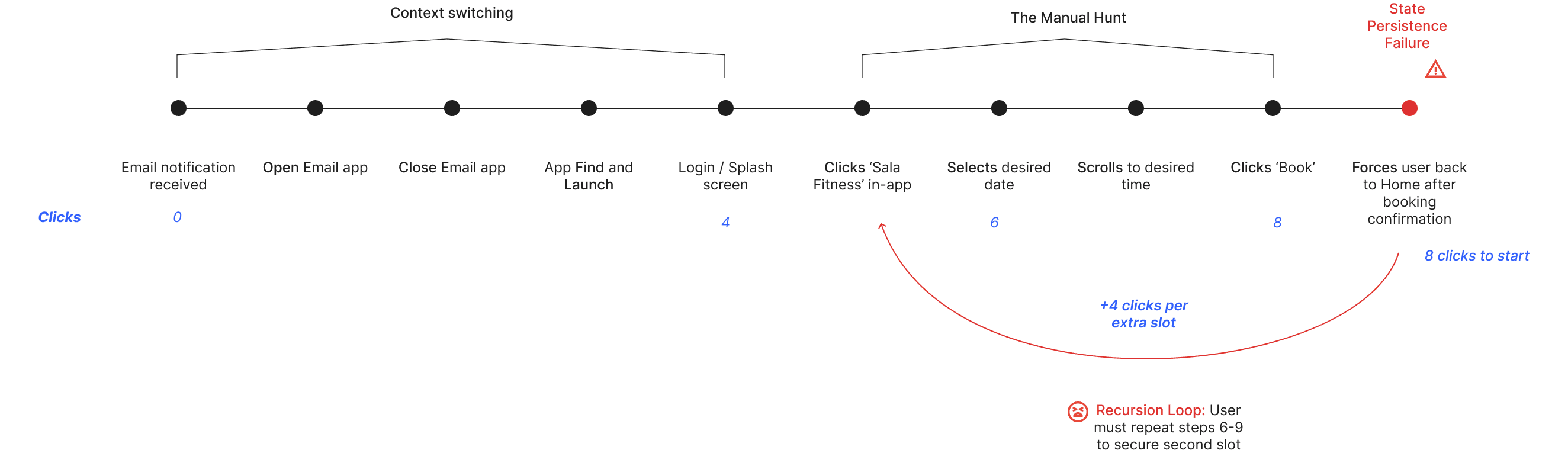
Email notifications told users a spot was open but gave them no way to get there. Users had to memorize the date and manually navigate through the app to find it.
The Navigation Loop
After successfully booking a 30-minute slot, the app forced a "hard reset," dumping the user back to the Home Screen. To book two back-to-back slots, a user had to start the entire search process over from scratch. It took 12 clicks and 45 seconds—more than enough time to lose a waitlist spot to someone else
Friction Map
The Solution
Connecting the Entry (Deep Linking)
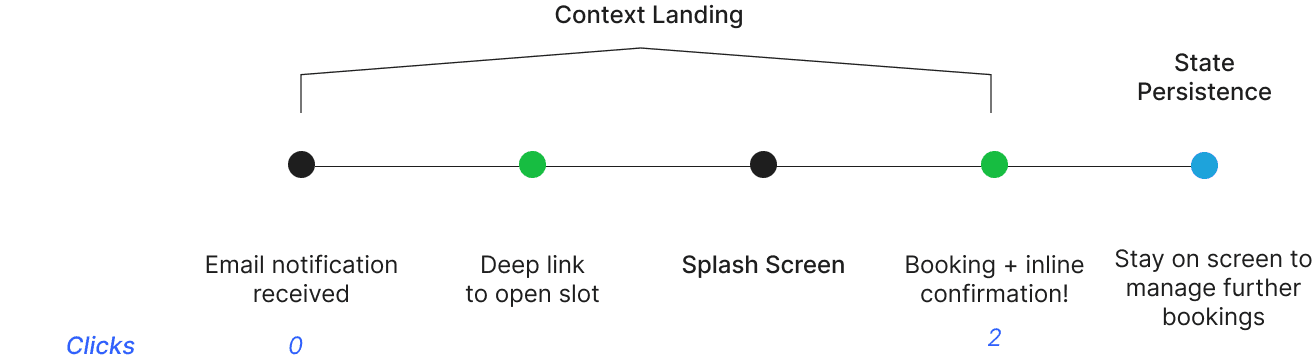
I added direct deep links to the email notifications. Instead of taking users on the home screen, the link passes the specific slot_id to the app, bypassing the manual search and dropping the user directly on the correct schedule.

Instant Visibility - Badges
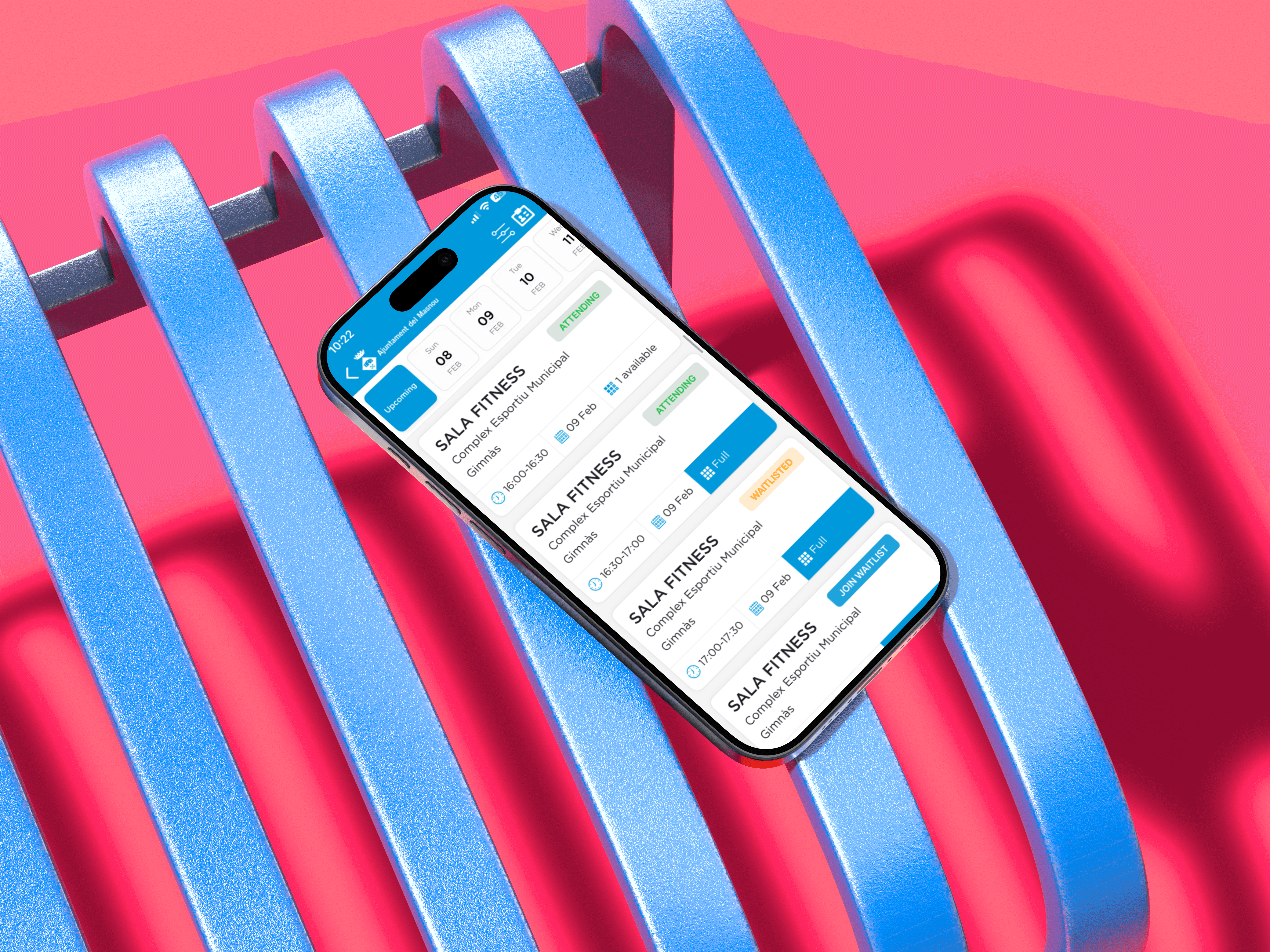
I added badges to clearly show the user's status. Tinted colors for states, solid blue for actions (i.e Booking, Join Waitlist). Users can now instantly scan the schedule without having to click into individual class details.
Breaking the Loop
I moved the success message to an Inline Overlay. When a user books a slot, the success message appears immediately. The user never leaves the schedule page. They can book a slot, close the confirmation, and immediately book the next one. No navigation reset.

THE ReSULTS
By fixing the navigation logic, I transformed a frustrating scavenger hunt into an effortless booking experience:
Time-to-Task Slashed: Dropped from ~45 seconds to under 5 seconds.
83% Less Friction: Reduced the booking loop from 12 clicks down to just 2 clicks.
Total Control: Users can now manage their entire schedule (booking, waitlisting, canceling) from a single screen.